FJD Trion Model Web
Process, measure, and share the same scan in a browser
Trion Model Web moves mapping, colourization, and GNSS registration into the browser. You do not need a workstation-class PC to process the raw job or to let a client walk the result. Upload once; office, site, and remote reviewers look at the same project.

See it in action
A walkthrough of FJD Trion Model Web from FJDynamics, the manufacturer.
FJD Trion Model Web — product walkthrough
Built for the complete workflow
Readable without a specialist seat
Clients and project managers open the model and orient themselves. The cloud is no longer locked to the one person who knows the desktop package.
Short onboarding
A browser login replaces a local install and a week of seat training. Crews start on the project they just uploaded.
Pick the job up later
Upload once and return from another desk, a hotel, or a site cabin. Historical captures stay available for the next coordination meeting.
One project, several locations
Site, office, and remote reviewers look at the same registered cloud — fewer “which version did you open?” calls.
Any decent browser
No mandated workstation GPU or Windows-only seat for review and light processing. The heavy desktop build stays optional for CAD-heavy deliverables.
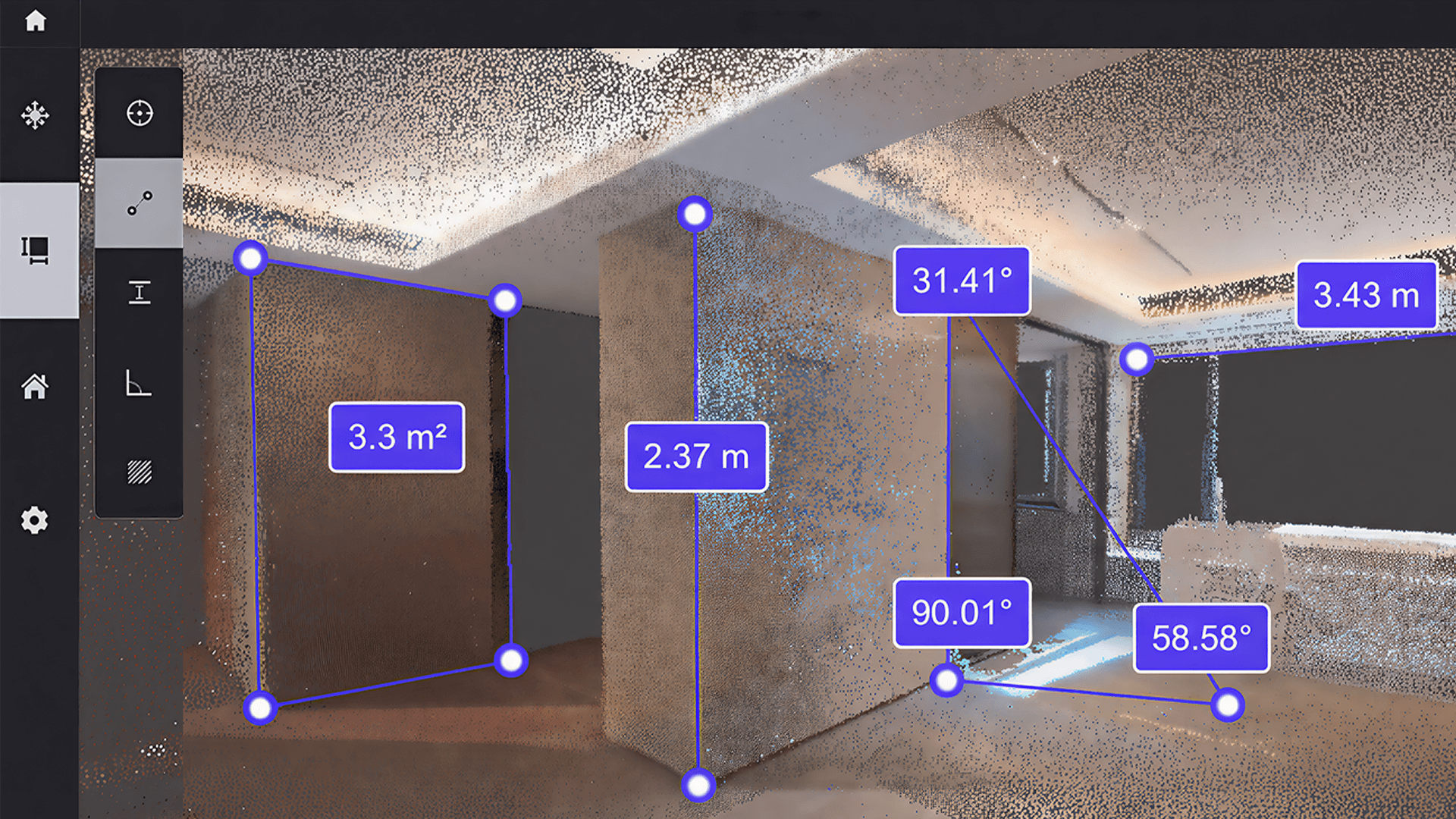
Measure in the model
Angles, distances, heights, and areas sit on the cloud itself. Skip a return visit with a tape when the question is already in the scan.
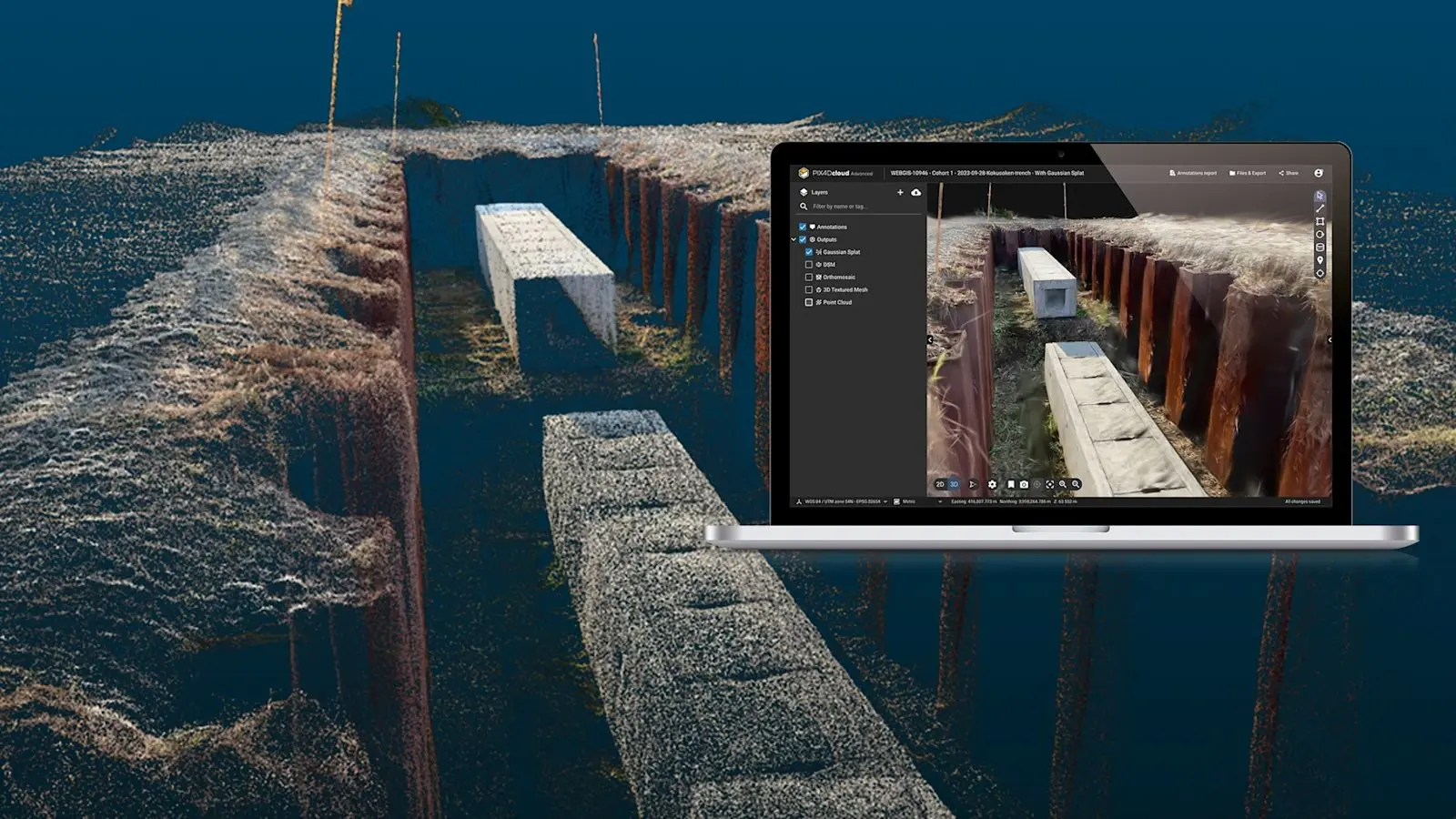
3D Gaussian Splatting walkthroughs
Build a 3DGS model from the scan and move through the site with more depth than a flat point tint. Free-fly or follow the original trajectory when you present to a client.

Virtual room tours
3D walkthroughs help buyers and facilities teams read the layout of a unit or floor before they travel. Built for property review, not only survey QA.
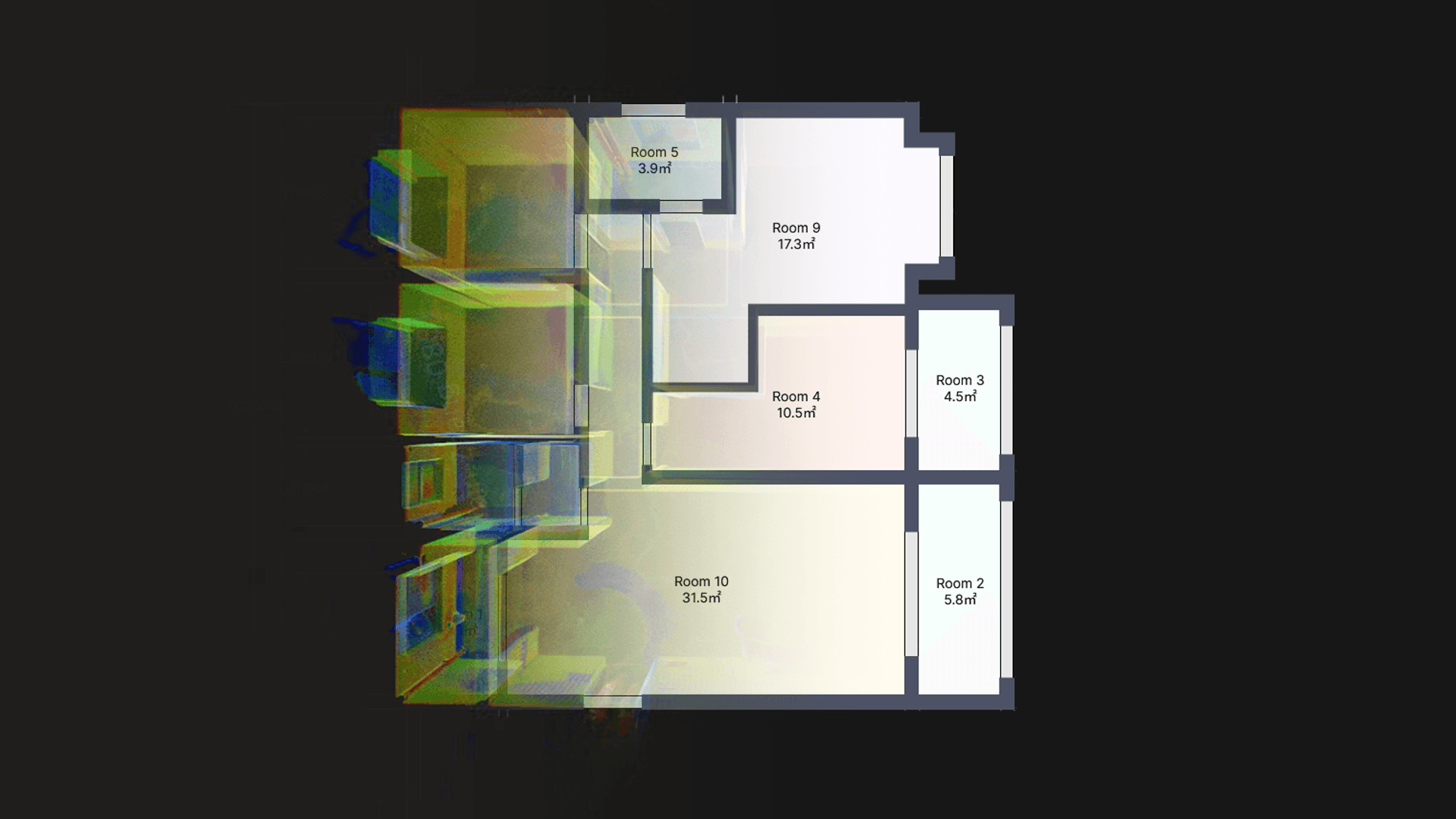
Auto floor plans from the cloud
Push the scan to the interior module and get 2D plans and 3D massing without tracing every wall. Export DXF or PDF when the architect needs a drawing, OBJ when they need a mesh.
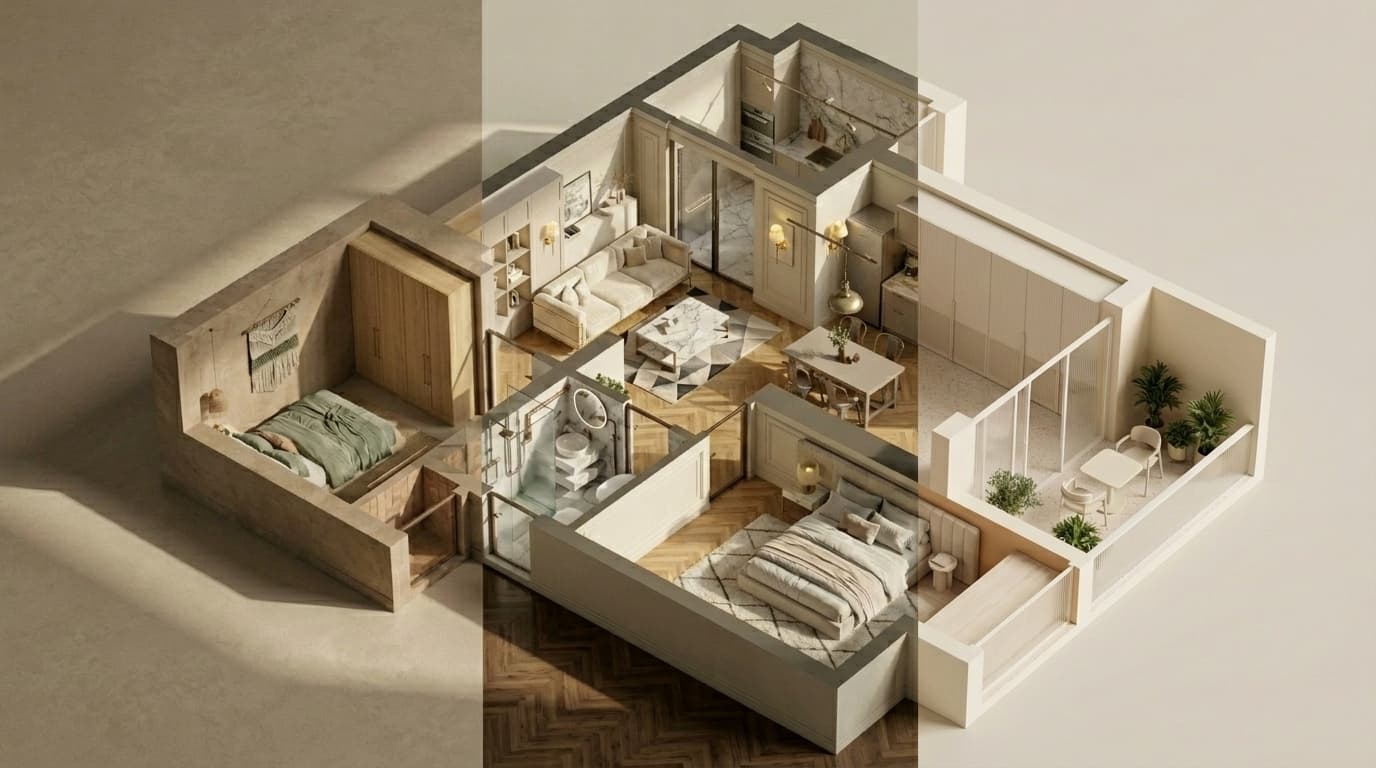
Styled interiors for the conversation
The AI rendering lab turns a generated plan into a look a non-technical client can react to — useful in early options, not a substitute for a full interior package.
Workflow snapshots
Project management
- 2D and 3D project workspace
- Point cloud viewing
- In-model measurement
- Mesh viewing
- 3DGS viewing and generation
- Share links and downloads
Interior design module
- DXF floor plans
- PDF floor plans
- OBJ 3D models
- AI interior renderings
Data processing
- Point cloud mapping
- Colourization
- GNSS registration
Frequently asked questions
Review, sharing, and core processing (mapping, colourization, GNSS registration) run in the browser. A workstation still helps for the heaviest Trion Model PC classification and CAD export — many teams run both on the same Norrpoint quote.
You share a project link. They view the cloud, measurements, 3DGS, or a room tour without installing desktop software. Access and storage are arranged through your Norrpoint configuration, not a self-serve checkout on this site.
Field tablets and iPadOS cover live capture and lighter processing. Model Web is the shared cloud step: upload, register, colourize, and keep the same project in front of the office. Ask for a trial if you want to test that hand-off on a Swedish job.
FJDynamics states project files are not used for model training without explicit consent. Treat that as the manufacturer’s policy; Norrpoint quotes licenses and hardware, and we can walk through data-handling questions on a call.
Build your complete scanning workflow
Pair FJD Trion Model Web with the right FJDynamics scanner and local support.